 In development
ThinkIt: Your ideas, connected.
A personal space for everything you think about: notes, plans, reading, projects, meeting notes. Write in pages, link them to each other, keep the things that repeat in tidy collections, and find anything in a second.
It works without an internet connection, on your phone and on your computer.
Built for iPhone, Android, Mac, Windows, and Linux
Read the guideUse it with Claude
ThinkIt is still in development and is not in the app stores yet. The phone app (Android and iPhone) is complete; the computer app (Mac, Windows and Linux) is in preview. We will say so here when you can download it.
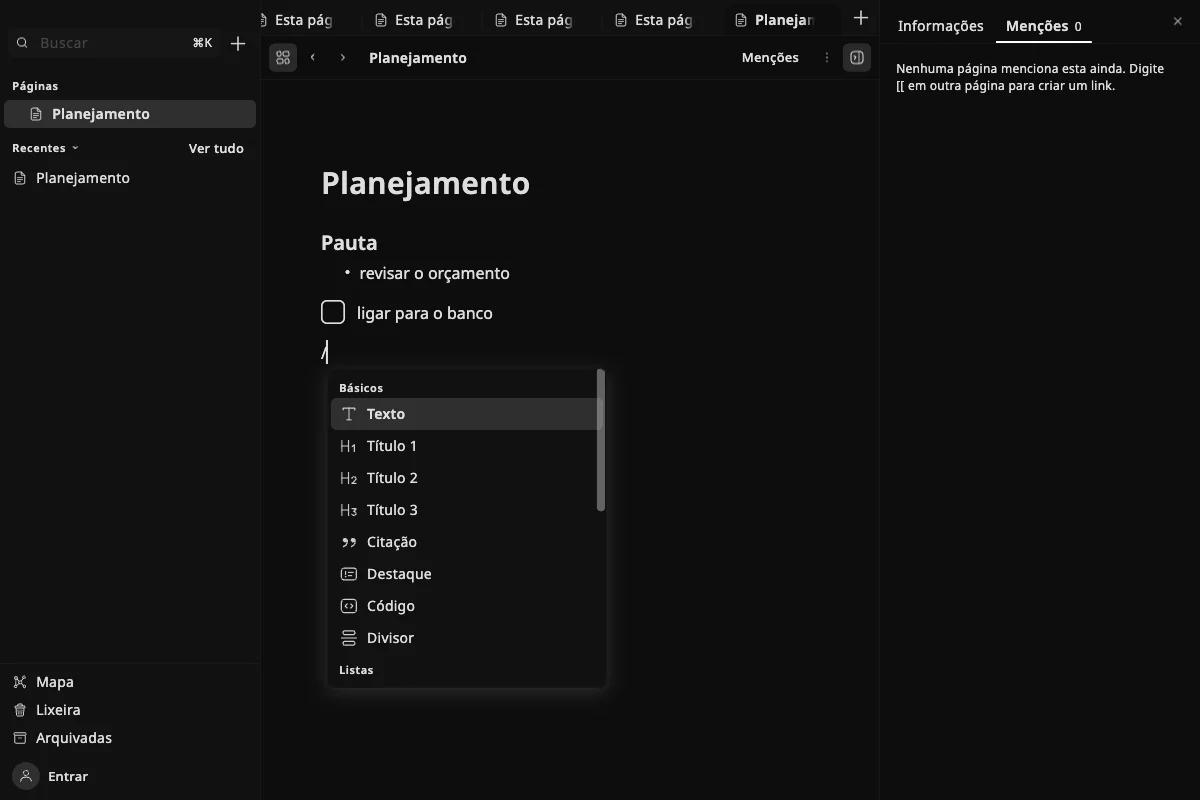
One place for what is on your mind
Ideas end up everywhere: in a notes app, in a document, in a message to yourself. ThinkIt gives them one home, and lets you connect them, so a thought you had last month shows up again when it matters.
It suits students keeping class notes, people planning projects, readers keeping track of books, and anyone who wants a personal wiki without learning a method first. Start with one page. The structure can come later.
What you can do
Simple on the surface. Capable underneath.
Pages and blocks
How blocks workEvery page is made of blocks: text, headings, lists, to-dos, quotes, callouts, code, images and files. Type “/” to pick one, or use the shortcuts you may know from other apps, like “# ” for a heading.
Put pages inside pages, give them an icon and a cover, pin the ones you use most.
Links and the Map
How links and the Map workType “[[” to link to another page, or to create one on the spot. Every page shows which pages mention it.
The Map draws all your pages and their links, so you can see how your ideas connect.
Collections
How collections workFor things that repeat, like tasks, books or meetings, a collection keeps them together. Each entry is a page with properties such as a status, a date or a rating.
See them as a Table or a List, and filter, sort and group them. Start blank or from a ready example.
Search
How search worksSearch looks inside titles, text and properties, even if you leave out the accents. Opening a result takes you straight to the block where the words are.
Sync, if you want it
How sync worksThinkIt works fully without an account. Sign in with a free Minifull account and your pages stay in step between your phone and your computer.
Privacy and backup
How backup worksLock ThinkIt with your face, fingerprint or device code. Make a backup in one file, protected with a password if you like, and export everything to Markdown and CSV, formats other apps can read.
On your phone and your computer
What differs between themThe phone app is made for quick notes and reading on the go. The computer app adds tabs like a web browser, a sidebar, a command box and keyboard shortcuts for long writing sessions.
A look inside
How it looks
These screens come from a preview of the computer app, set to Portuguese. The details may still change before release.
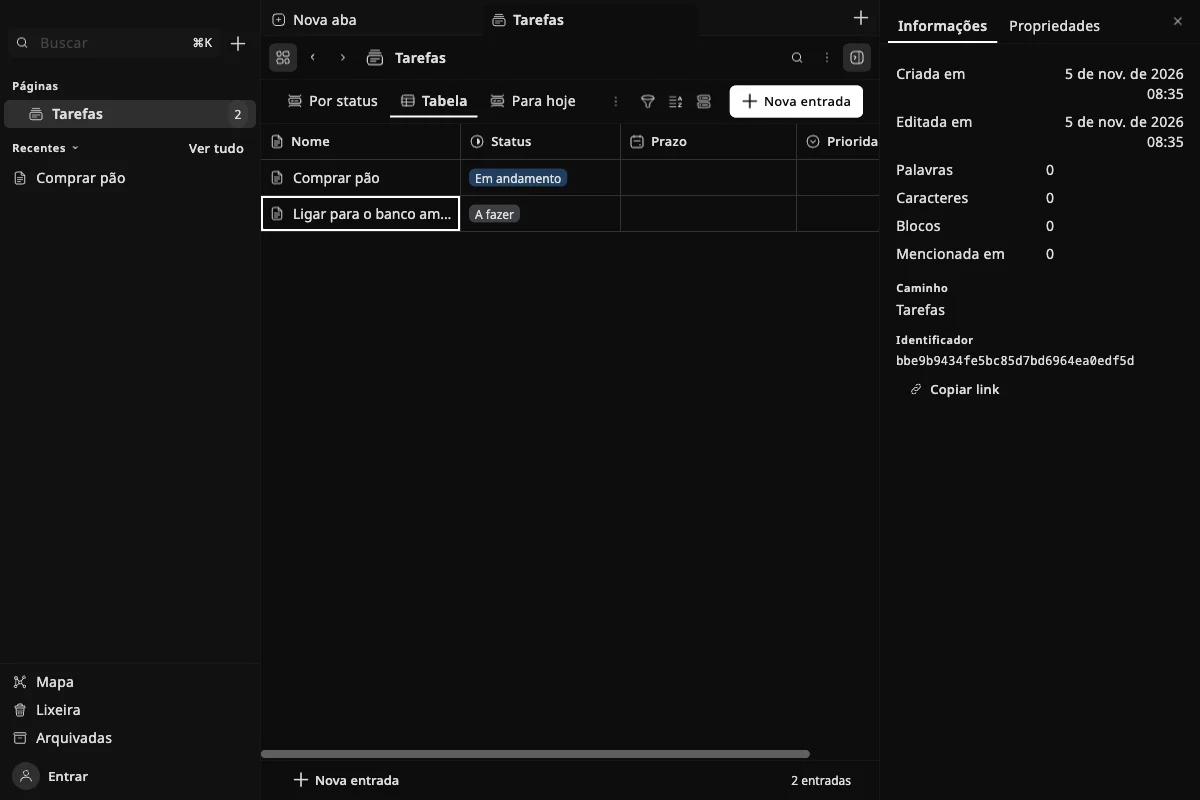
A collection in its Table view. ThinkIt for computers, preview build, with the app set to Portuguese. 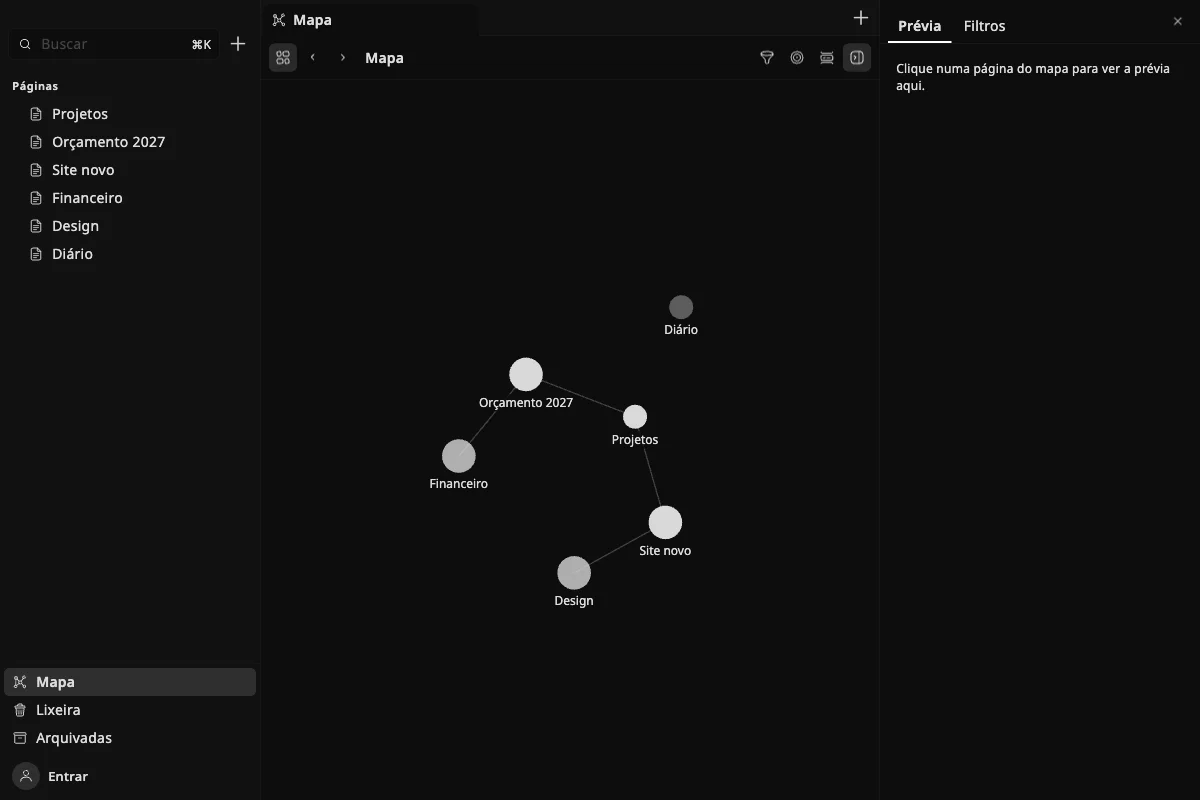
The Map draws your pages and the links between them. ThinkIt for computers, preview build, with the app set to Portuguese. 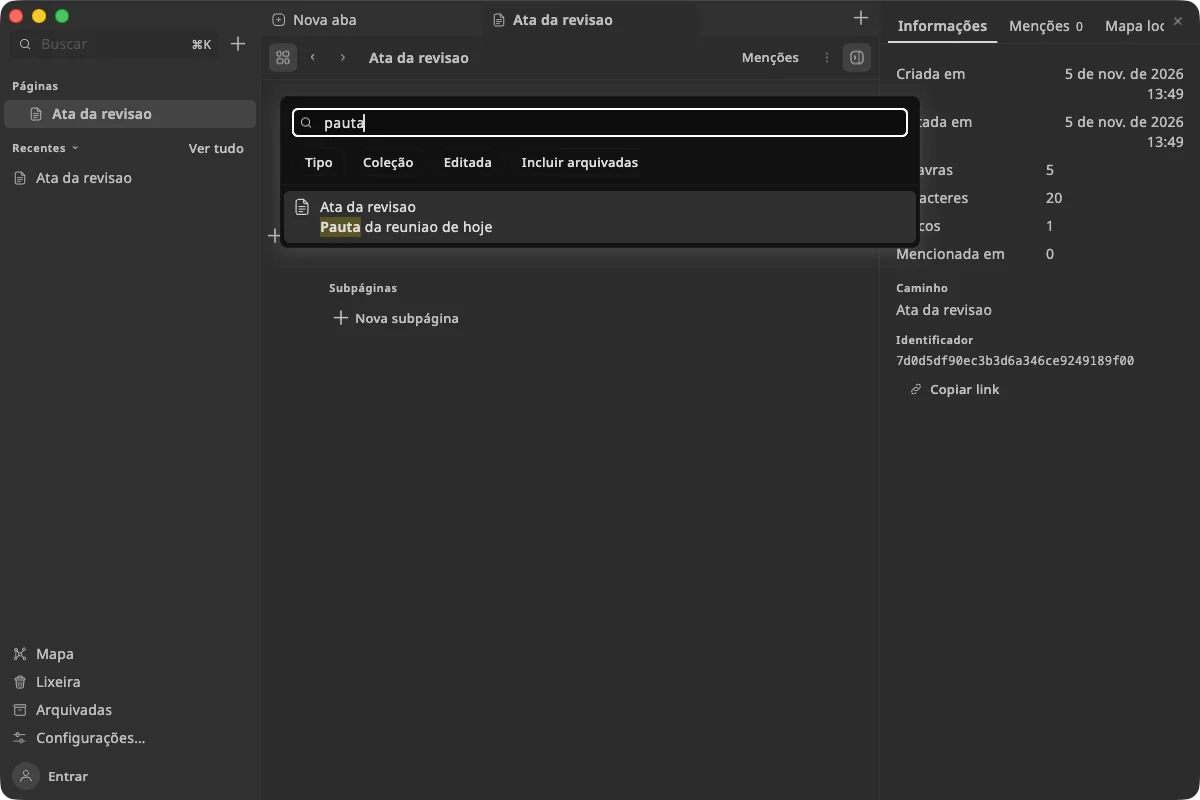
Search finds words inside your pages and highlights them. ThinkIt for computers, preview build, with the app set to Portuguese.
Questions
When can I download ThinkIt?
Not yet. ThinkIt is in development: the phone app is complete and the computer app is in preview, but neither is in the app stores. We will announce it here, with the links, when it is.
Do I need an account or an internet connection?
No. Everything works offline and stays on your device. An account is only needed if you want your pages on more than one device.
Where are my pages stored?
On your device. If you turn on sync, a copy is also kept in Minifull Cloud, tied to your account, so your other devices can receive it.
That copy is not end-to-end encrypted: our server can read it, which is what makes features like the Claude connection possible. If you prefer that nothing leaves your device, simply don’t sign in.
Can I use it on my phone and my computer at the same time?
Yes, with sync. If the same paragraph was changed on two devices before they caught up, ThinkIt keeps the newer text and places the other version right below it, so nothing you wrote is lost.
Can I bring my notes from Notion, Obsidian or another app?
Not at the moment: ThinkIt has no import yet. Going the other way is always possible: you can export everything to Markdown and CSV at any time, with links in the style Obsidian uses if you want.
Is there a board (Kanban) or a calendar view?
No. Collections can be seen as a Table or a List. A List can be grouped, for example by status, which covers much of what a board is used for.
Does ThinkIt have AI?
There is no AI inside the app. If you want it, you can connect Claude, Anthropic’s assistant, to your pages through your Minifull account. See Use ThinkIt with Claude.
What happens when I delete a page?
It goes to the Trash, where it stays for 30 days in case you change your mind. After that it is removed for good. If you only want it out of the way, archive it instead: archived pages are never deleted.
What if I lose my phone?
With sync on, your pages are in your account: sign in on the new device and they come back. Without sync, restore your latest backup. ThinkIt can remind you to make one every month.
I forgot the password of a backup. Can you open it?
No. A backup protected with a password is encrypted, and no one can open it without that password, not even us. Keep it somewhere safe.
Which languages does ThinkIt speak?
English, Dutch, Esperanto, Finnish, French, German, Italian, Japanese, Polish, Portuguese (Brazil and Portugal), Russian, Spanish, Turkish and Ukrainian. You can change the language in Settings.